DAX Studio
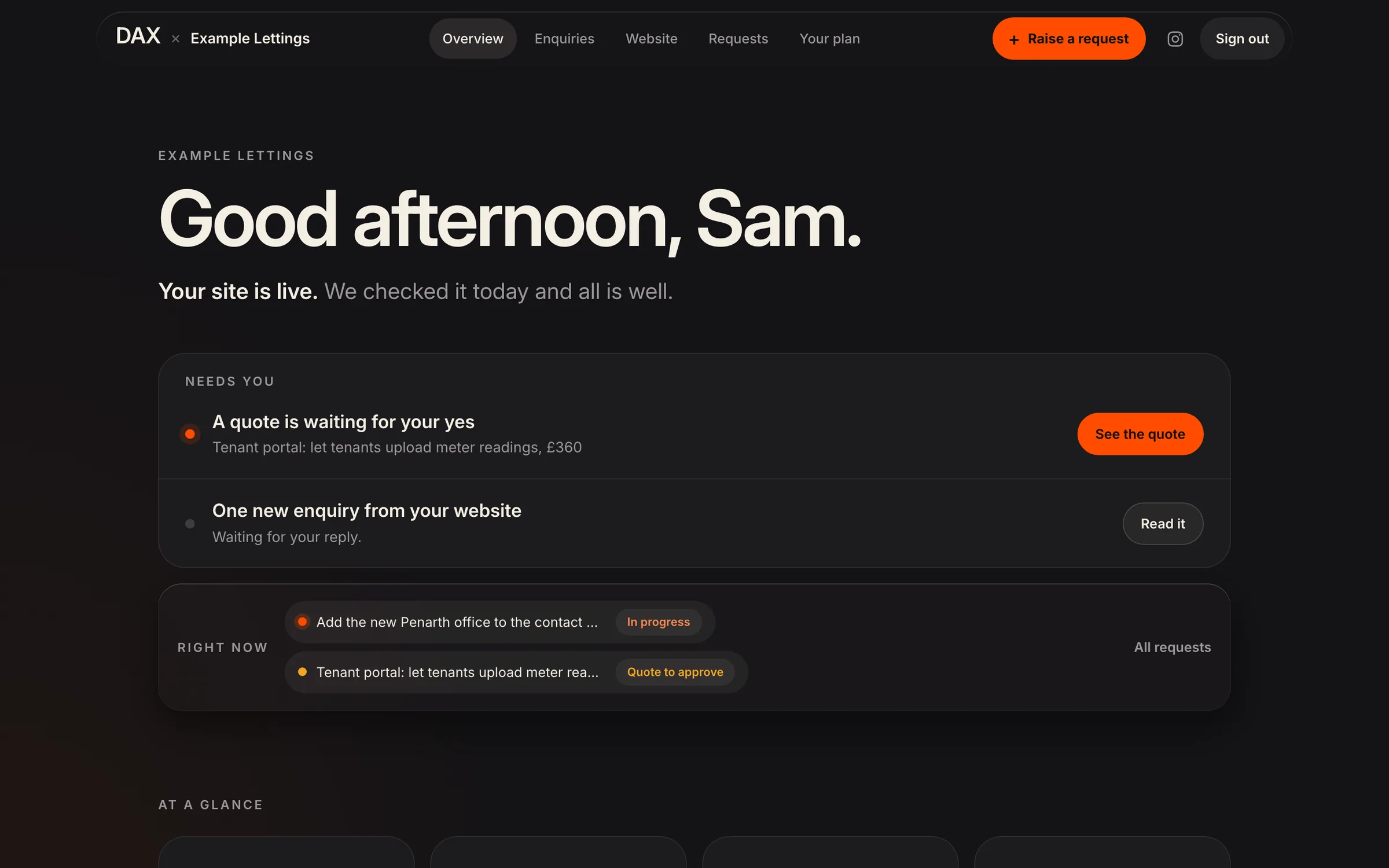
The DAX client area, shown with a sample client

DAX Business OS

From three separate tools to one record, from first enquiry to monthly report.

The platform behind our own studio. The website’s enquiry form, our CRM and a private client area share one database, so nothing is copied from one tool to the next.

Client
DAX Business OS
Industry
Our own studio
What we did
Platform, Client portal, Automation
When
2026 · Built and run in-house
What we did · 01

Put one database behind all three

The website’s enquiry form, the CRM and the client area read and write the same records. Nothing is synced overnight or pasted across, so the three can’t disagree.

What we did · 02

Made an enquiry impossible to lose

An enquiry from the website appears in the CRM’s pipeline and on the list of things that need a person today, and stays there until someone replies. One press turns a won enquiry into a client, with their page in the client area and their sign-in already made.

What we did · 03

Gave every client one place to look

A private client area with five pages. It opens on what needs the client: a design to approve, a quote to say yes to, an enquiry waiting for a reply. Behind that are their requests, their website’s visitors and enquiries, their plan and their documents.

What we did · 04

Tracked every request from received to done

A client raises a request in the client area, or we log it for them when it comes by email. It is sized against the hours in their plan before anyone starts, and its progress shows on their page until it is done.

What we did · 05

Let the system do the watching

Client sites are checked each morning. Visitor numbers are refreshed through the day. For clients on an SEO plan, a new page on their site is spotted within the hour, so it can be put forward to search engines. Only what needs a person reaches a person.

The client area, recorded on 18 November 2026 with a sample client. The names and numbers on screen are made up.

The brief

A studio does three things: it wins work, it delivers it, and it looks after it. For us those lived in three places: the website, a CRM and a client area. Each worked, but a record had to be carried from one to the next by a person, and the ones nobody carried went quiet.

An enquiry reached the CRM but not the list anyone worked from. A client record had no link back to the enquiry that won it. Clients asked for changes by email and message, so nothing showed what had been asked for, what was in hand and what was done. We needed one record that moves on by itself, and one place a client can see everything about their project.

Made for the phone first
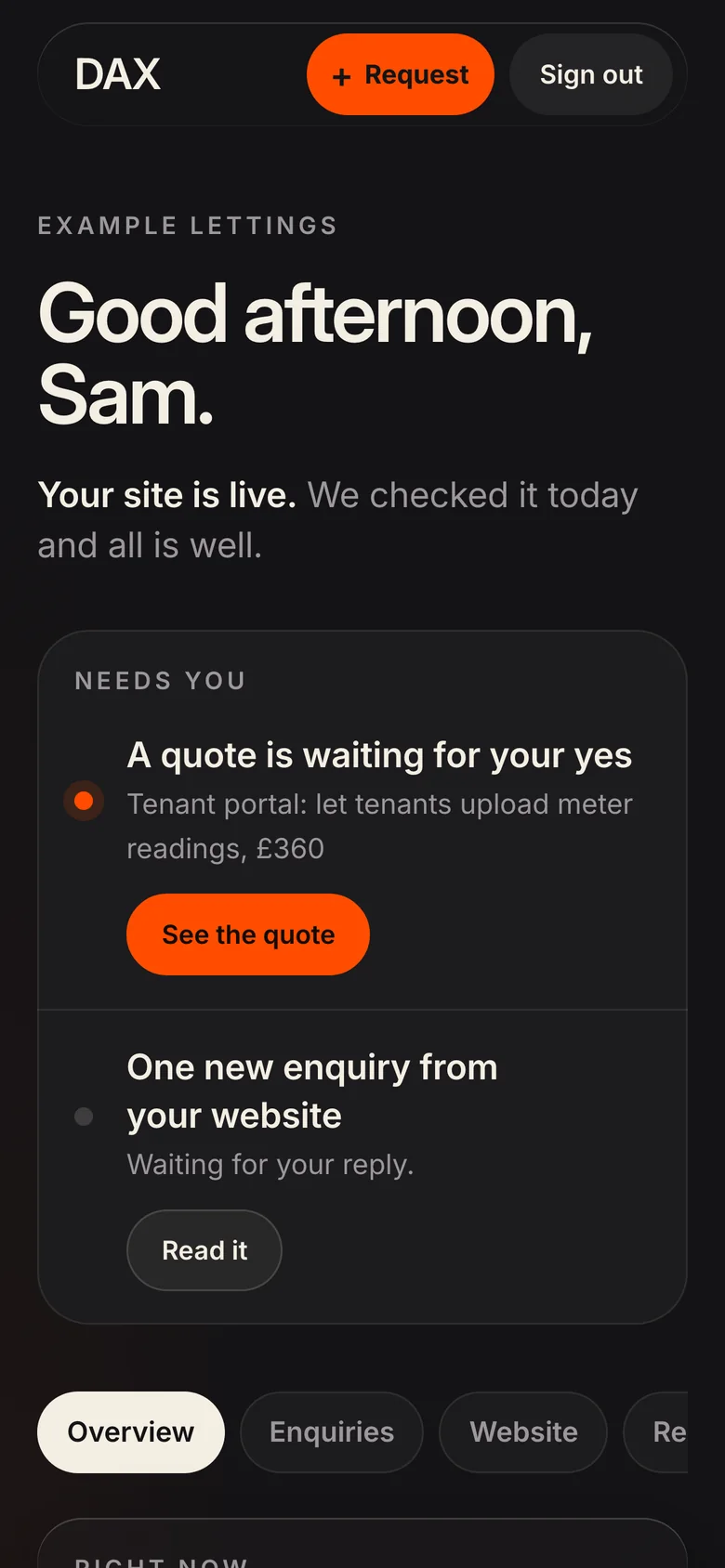
DAX Business OS on a phone, 1
DAX Business OS on a phone, 2
DAX Business OS on a phone, 3
DAX Business OS: What needs the client comes first (sample client)
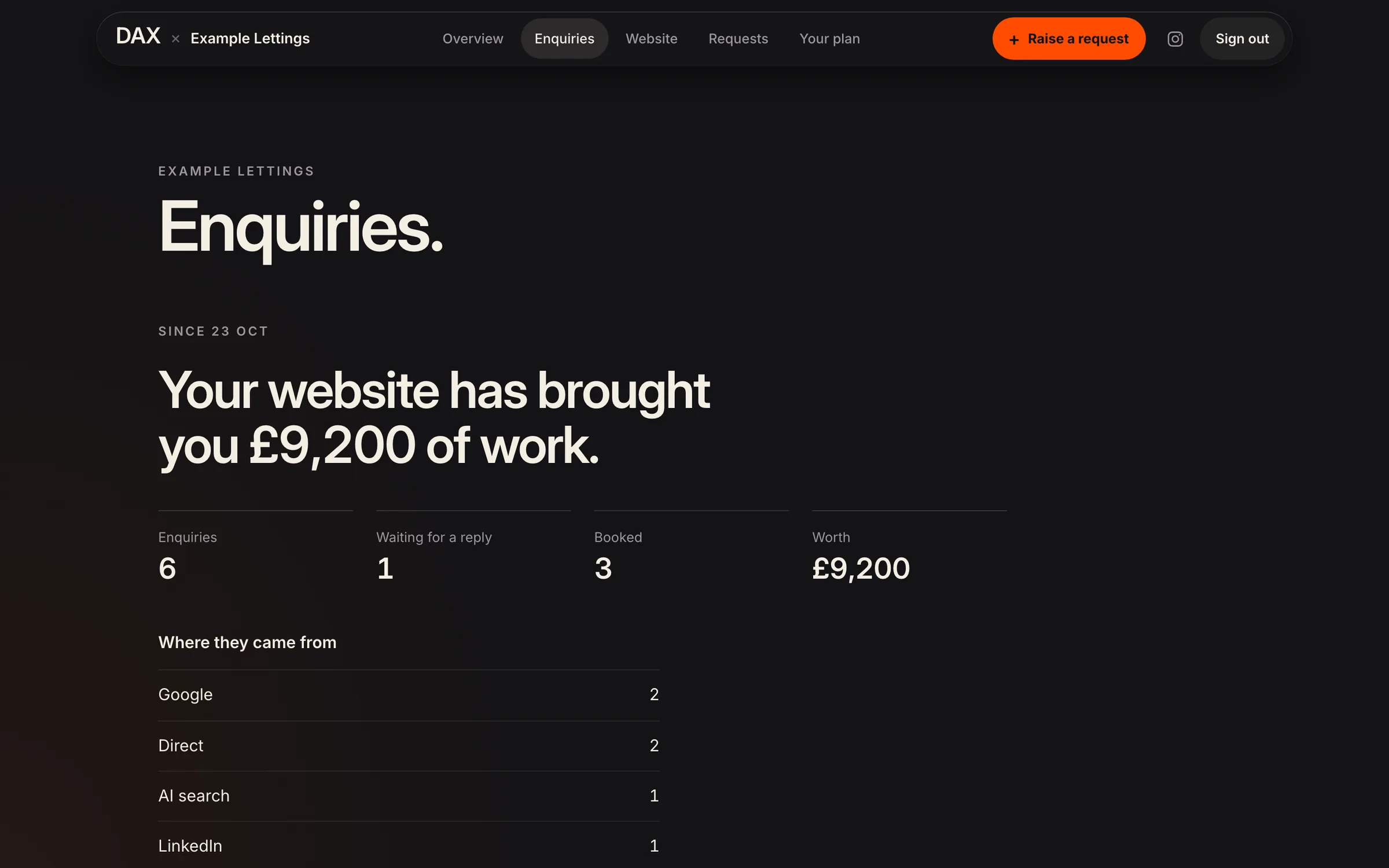
What needs the client comes first (sample client)

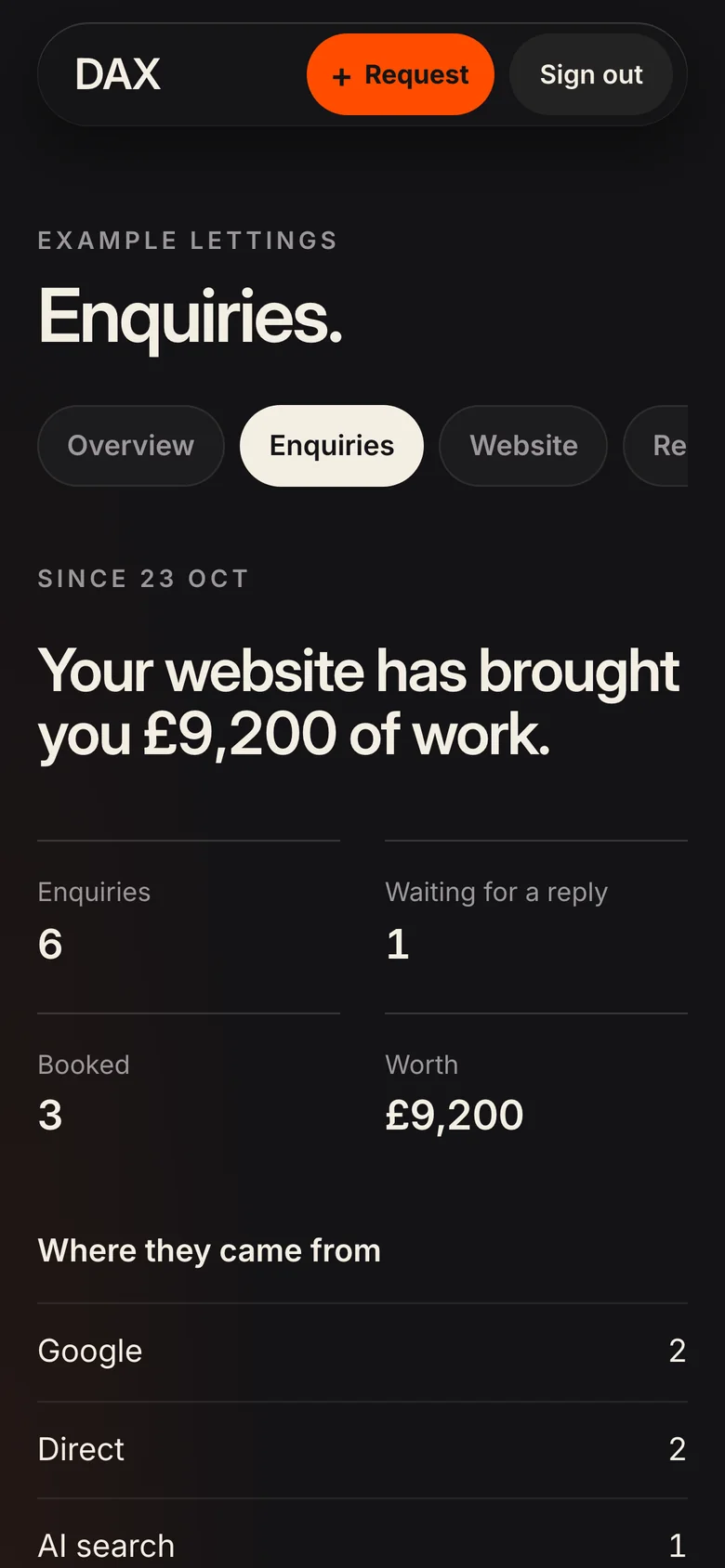
DAX Business OS: Enquiries, and what they were worth (sample client)
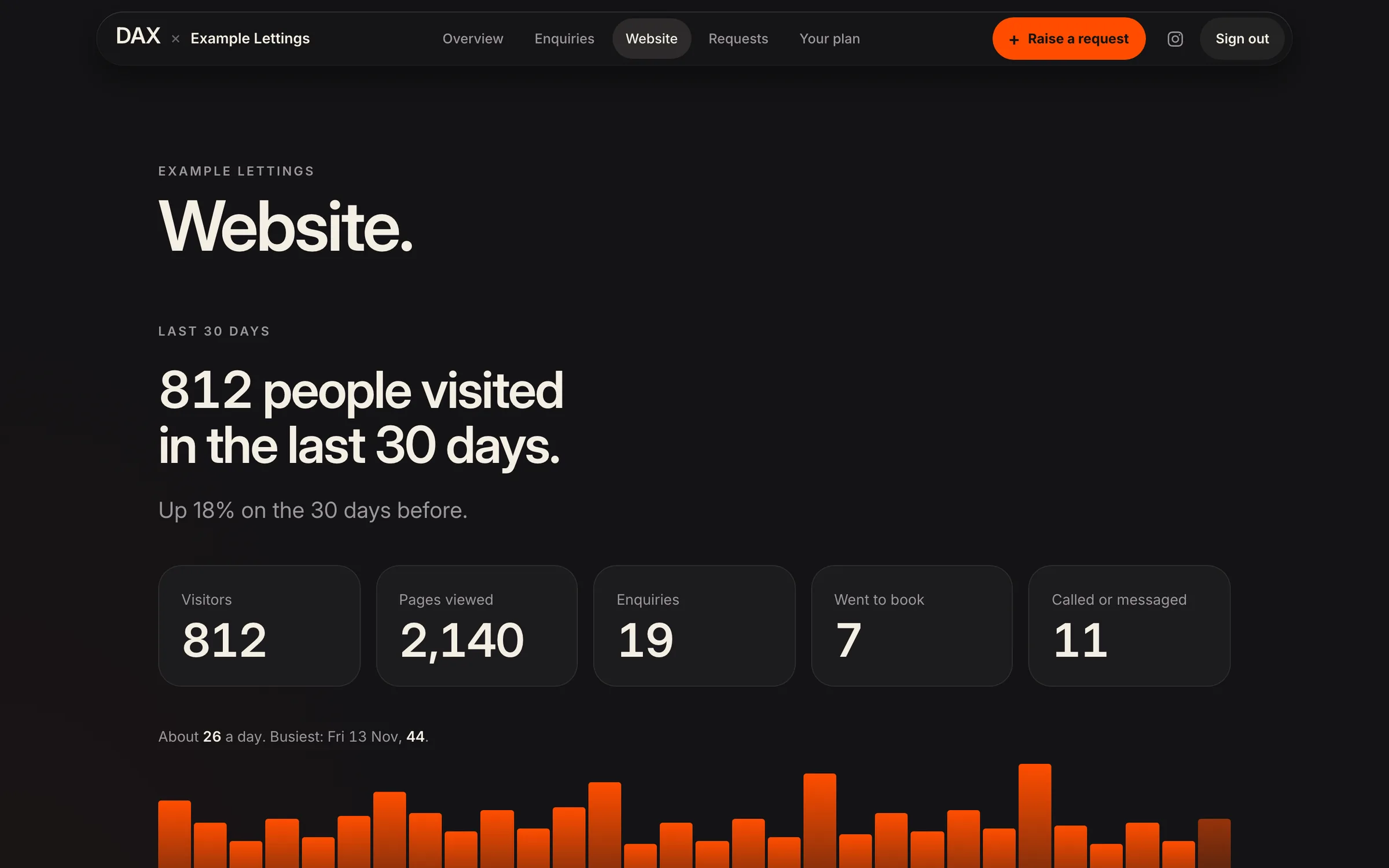
Enquiries, and what they were worth (sample client)

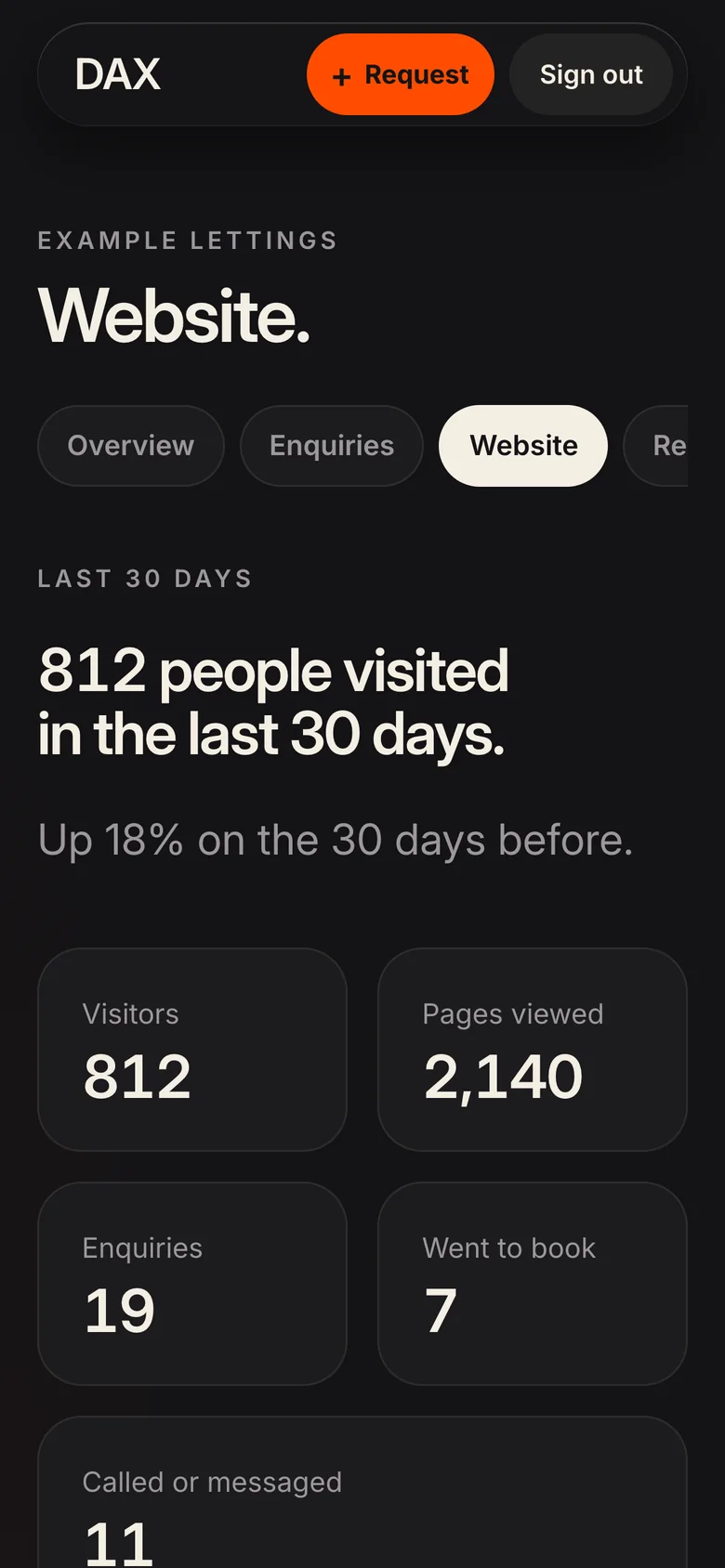
DAX Business OS: Visitors, and where they came from (sample client)
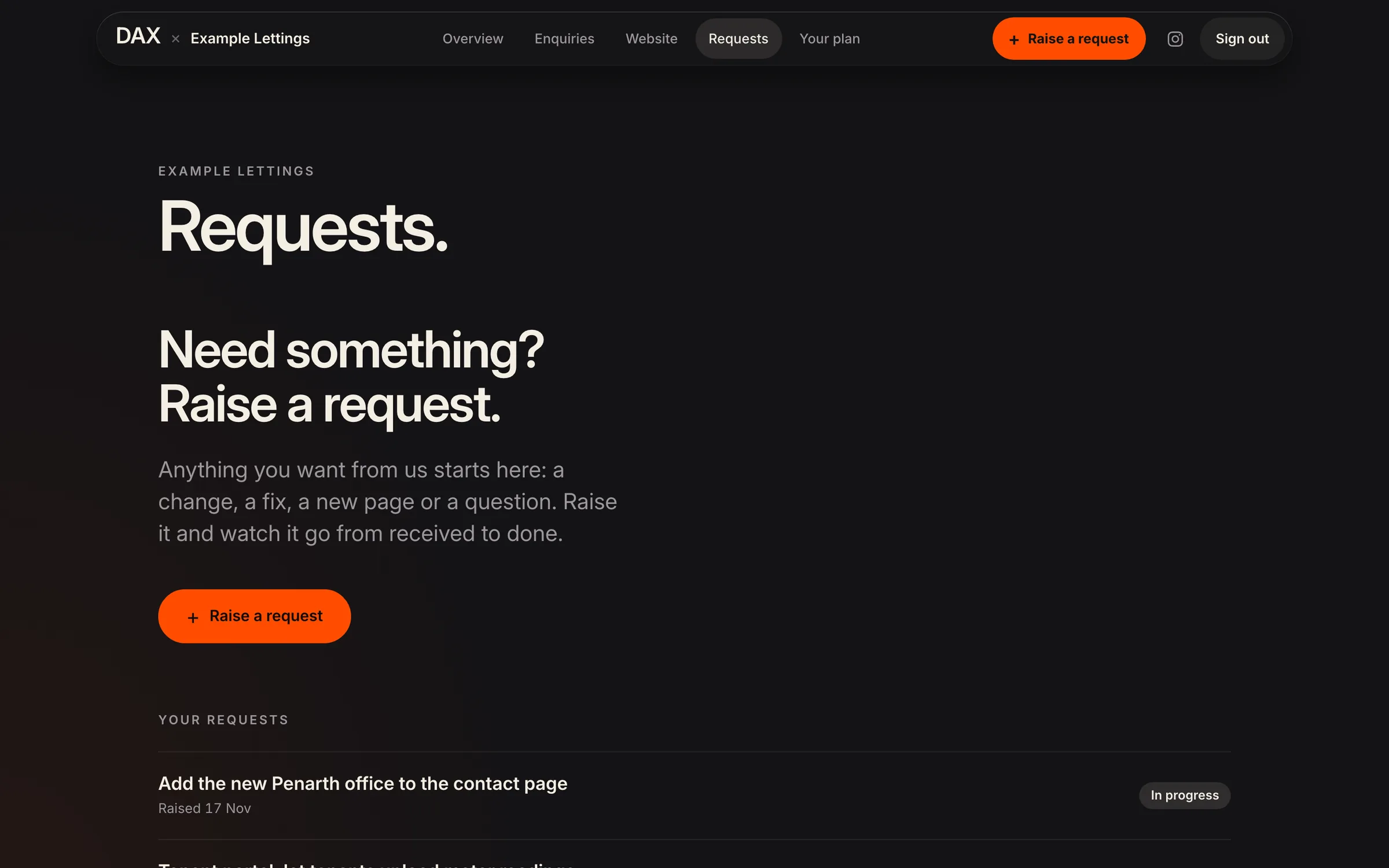
Visitors, and where they came from (sample client)

DAX Business OS: Requests, from received to done (sample client)
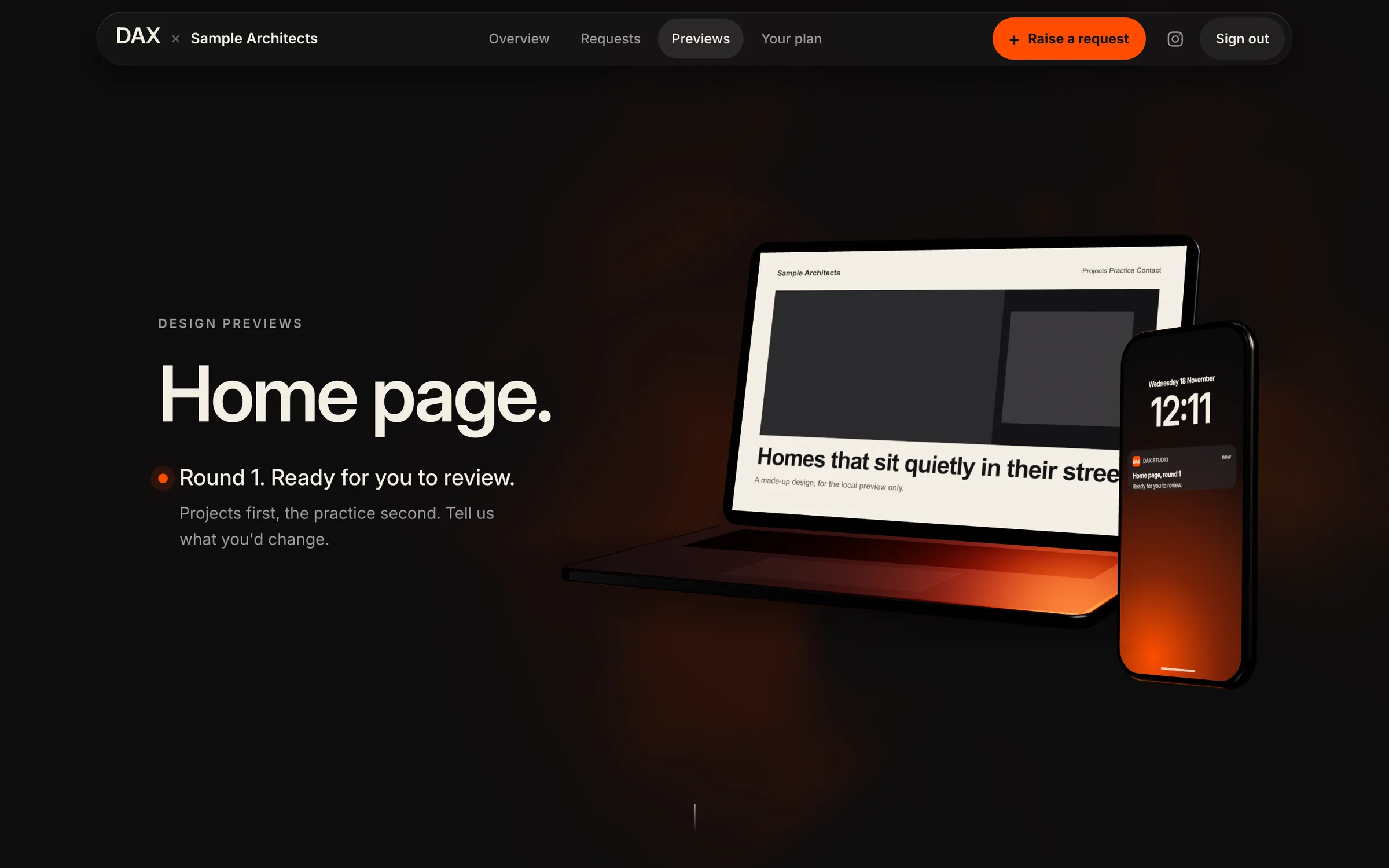
Requests, from received to done (sample client)

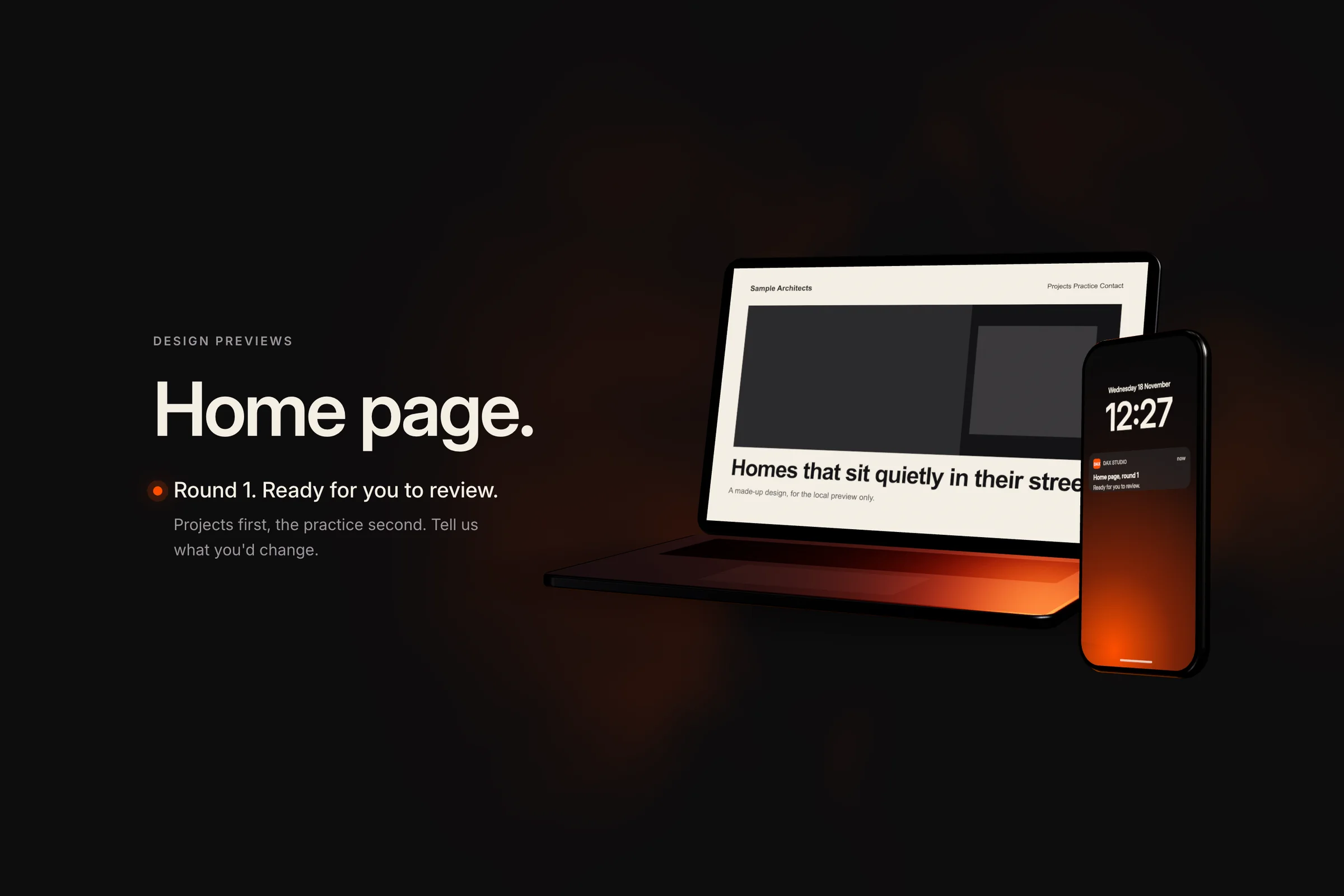
DAX Business OS: A design to review and approve (sample client)
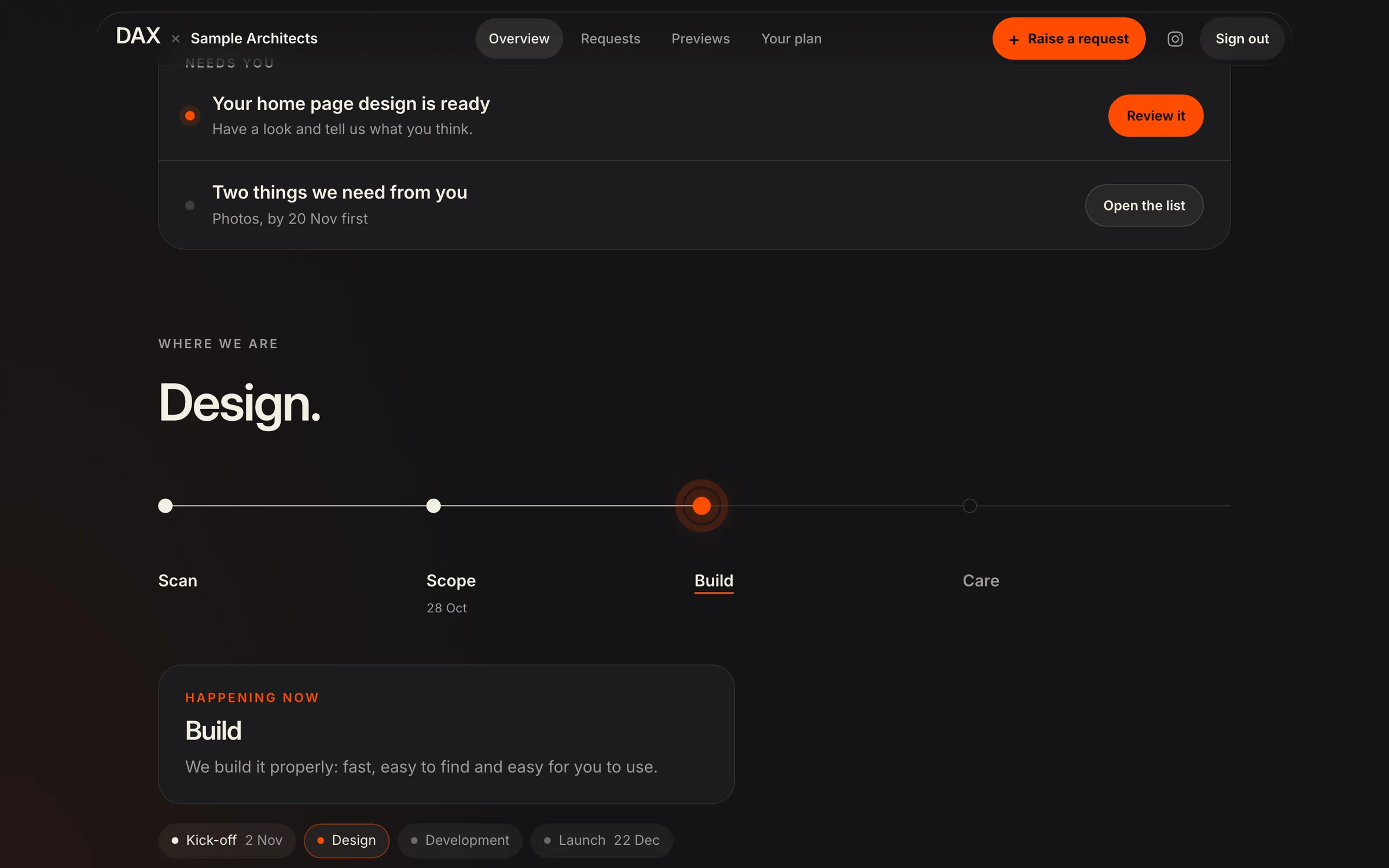
A design to review and approve (sample client)

DAX Business OS: Where the project is (sample client)

Where the project is (sample client)

Decisions we made

What we chose,
and why.

One database, not three tools joined together
Joining separate tools means copies, and copies drift. With one set of records, the enquiry a client sent is the same record their project and their results hang from.
It opens on what needs you
Both the CRM and the client area start with a short list of what is waiting for that person, not a dashboard. The client area went from seven pages to five, and the numbers moved up the page.
A code by email, not a password
Clients sign in with a code sent to their email address. There is no password to forget, reuse or leak, and each address belongs to one client.
Each client sees only their own records
The rule is enforced in the database itself, not only on the screen, so it doesn’t depend on every page getting it right.
Work is sized against the plan before it starts
A request that would go over the hours in a client’s plan stops and becomes a quote for them to approve. Nobody gets a surprise on an invoice.
The results live on the client’s own page
A client’s page shows the enquiries their website brought, where they came from and, once they mark one as booked, what it was worth. The total is there whenever they sign in.
A result needs a source and a period
The database won’t let a result be approved without saying where the number came from and the dates it covers. The figures on our case studies follow the same rule.
The screens here show a sample client
Every picture and the recording on this page use a made-up client. No client’s records leave the client area, even for our own case study.
The outcome

An enquiry now lands on the list someone works from, becomes a client in one press, and that client has one place to see their project, their requests and what their website is bringing them. The checks that used to be someone’s job run on a schedule. It is the same kind of platform we build for clients: a portal, an internal tool and the automation between them, on one set of records.

56
Client requests logged and tracked, 52 of them finished
28 August to 17 November 2026. The requests our own system holds, raised by clients or logged for them. They came from 12 clients.
137
Website enquiries passed to clients’ own pages
18 August to 17 November 2026. The enquiries our clients’ websites record, with spam and hidden ones left out. For 14 clients.
1
Database behind all three
5
Pages in the client area
What we built
  • Checks on client sites · Daily
04 Start a project

Let's build
what's next.